




Compatible with WHMCS 9.1, 9.0 and 8
The WHMCS VPS reseller module that sells under your brand
Sell Windows RDP and Linux VPS from your own WHMCS. Set your prices, create your own offers, and let orders deliver themselves. Your customers only ever see your brand.
From the zip to your first sale
Upload
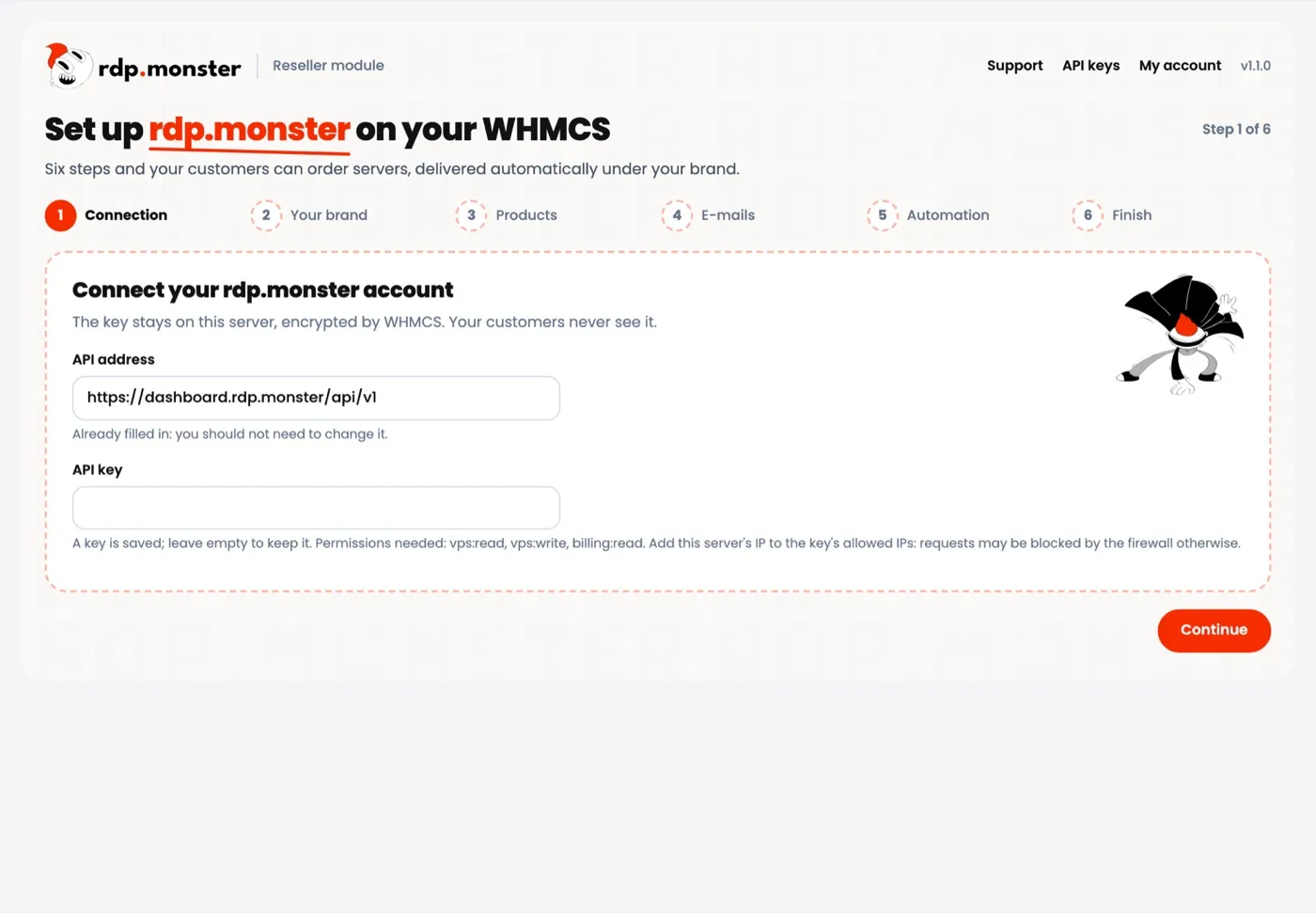
Copy two folders to your WHMCS and activate the addon. The wizard opens by itself.
Connect
Paste your API key. It is tested before anything is saved and stays encrypted on your server.
Price
Tick the offers you want and set a margin or a fixed price for each one.
Sell
WHMCS creates the products. Orders are delivered and the access details are e-mailed automatically.
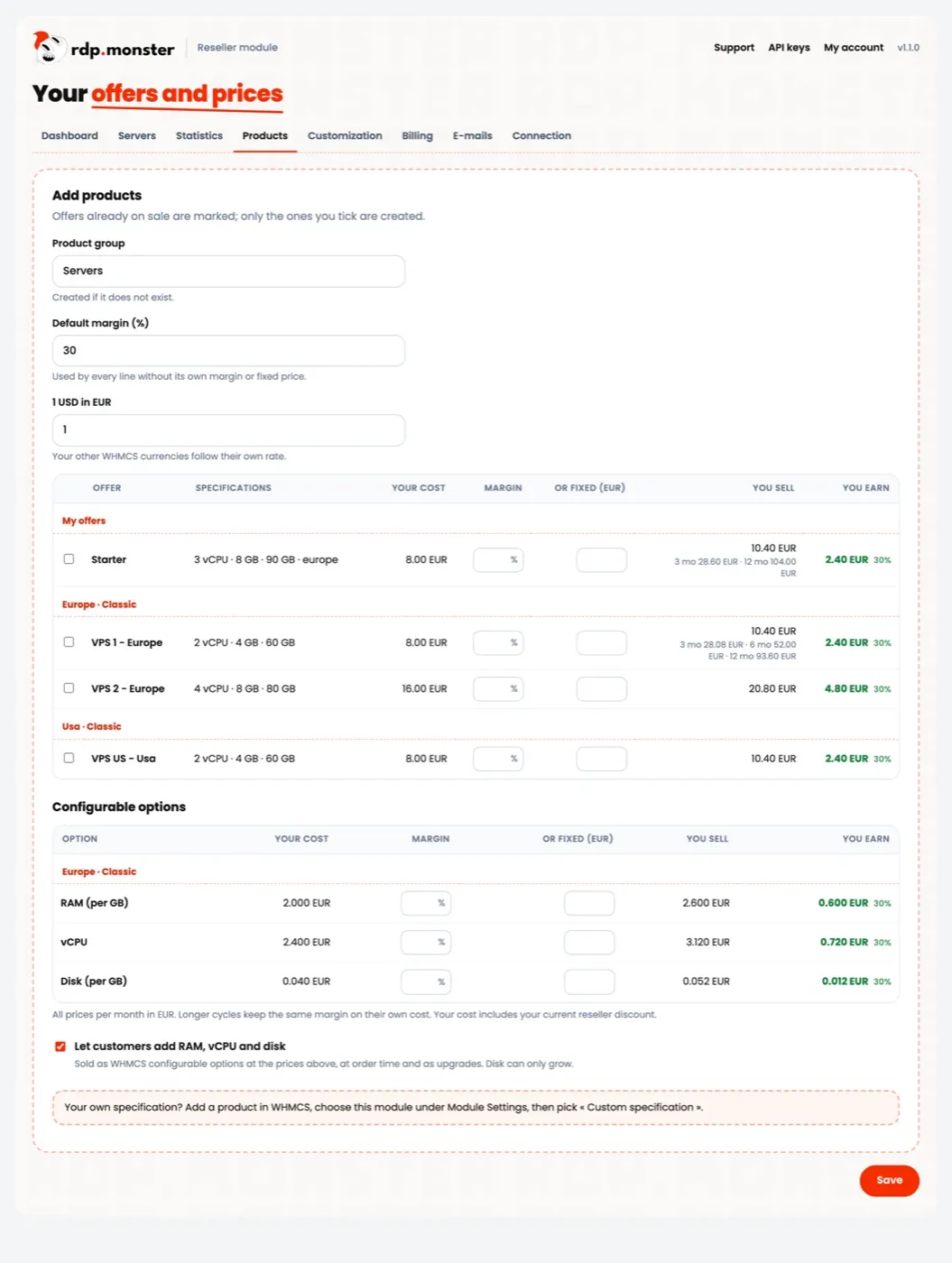
Your offers
Create your own offers and see your margin as you type
Sell our plans or build your own, with the region, vCPU, RAM, disk and IPv4 you want. Your cost, selling price and earnings update on every line.
- Margin or fixed price for each offer
- RAM, vCPU and disk sold as WHMCS options
- All your WHMCS currencies
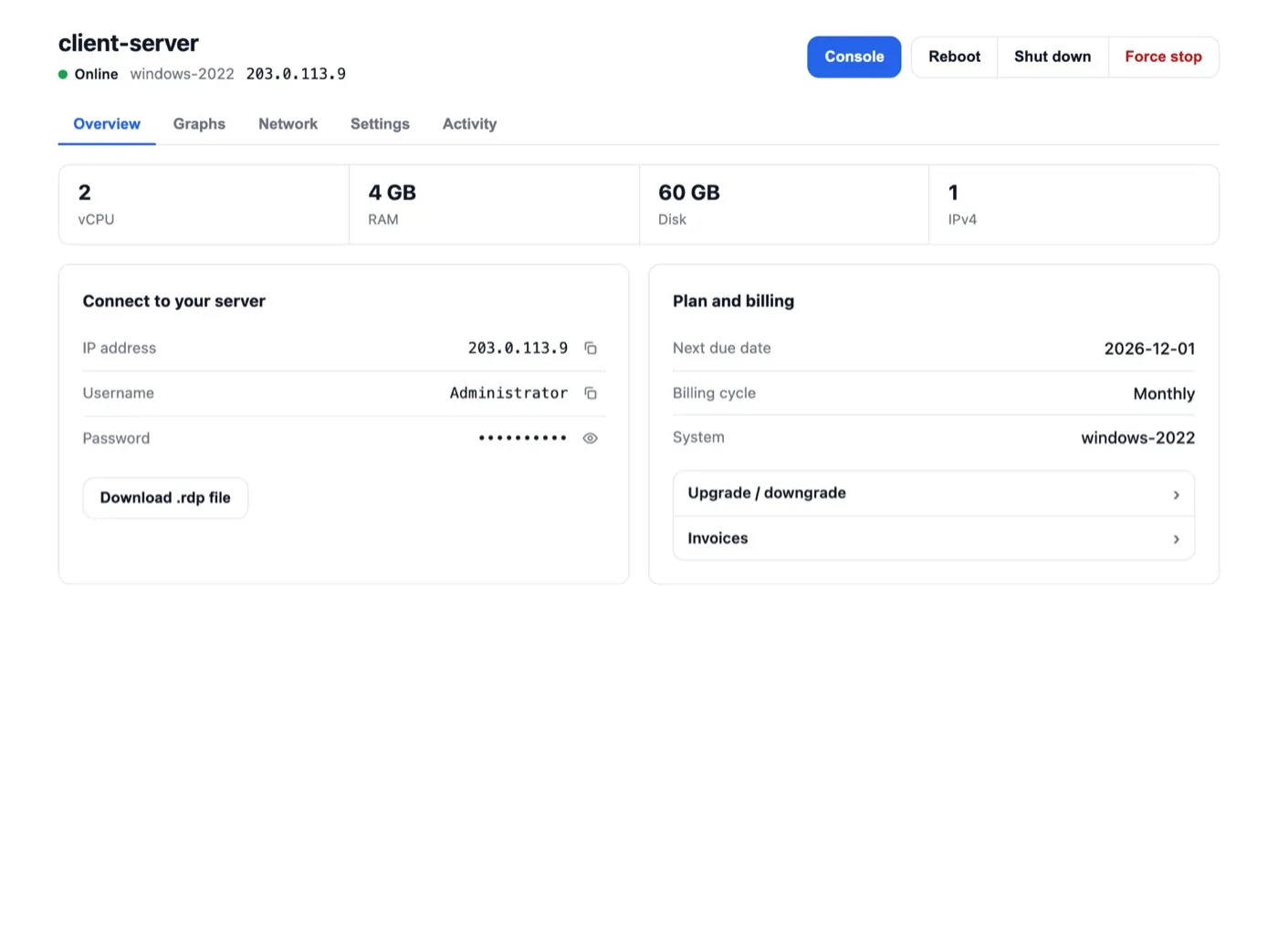
Your customers
A complete client area with no trace of us
Your customers manage their server from your WHMCS, with your colours and your support links. They never see rdp.monster.
- Browser console, power controls and passwords
- Graphs, monthly traffic and alerts
- Reinstallation, IP change and extra IPv4 at your prices
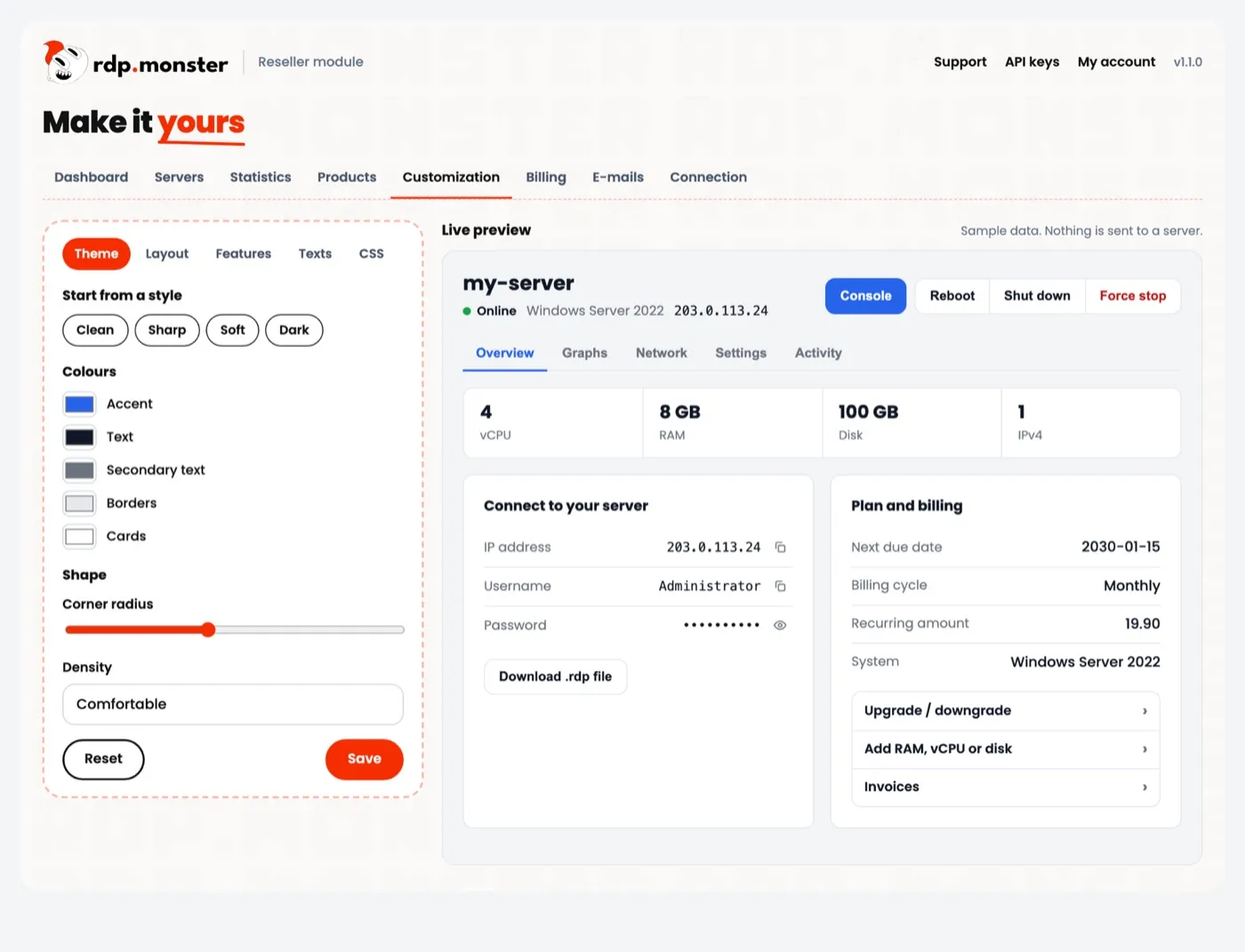
Your look
Make it yours with a live preview
Change the look without touching a template, and see each change straight away. If you want more, add your own CSS.
- Style presets, colours, corners and density
- Order and visibility of tabs and blocks
- Announcement, every text per language, each feature on or off
Your numbers
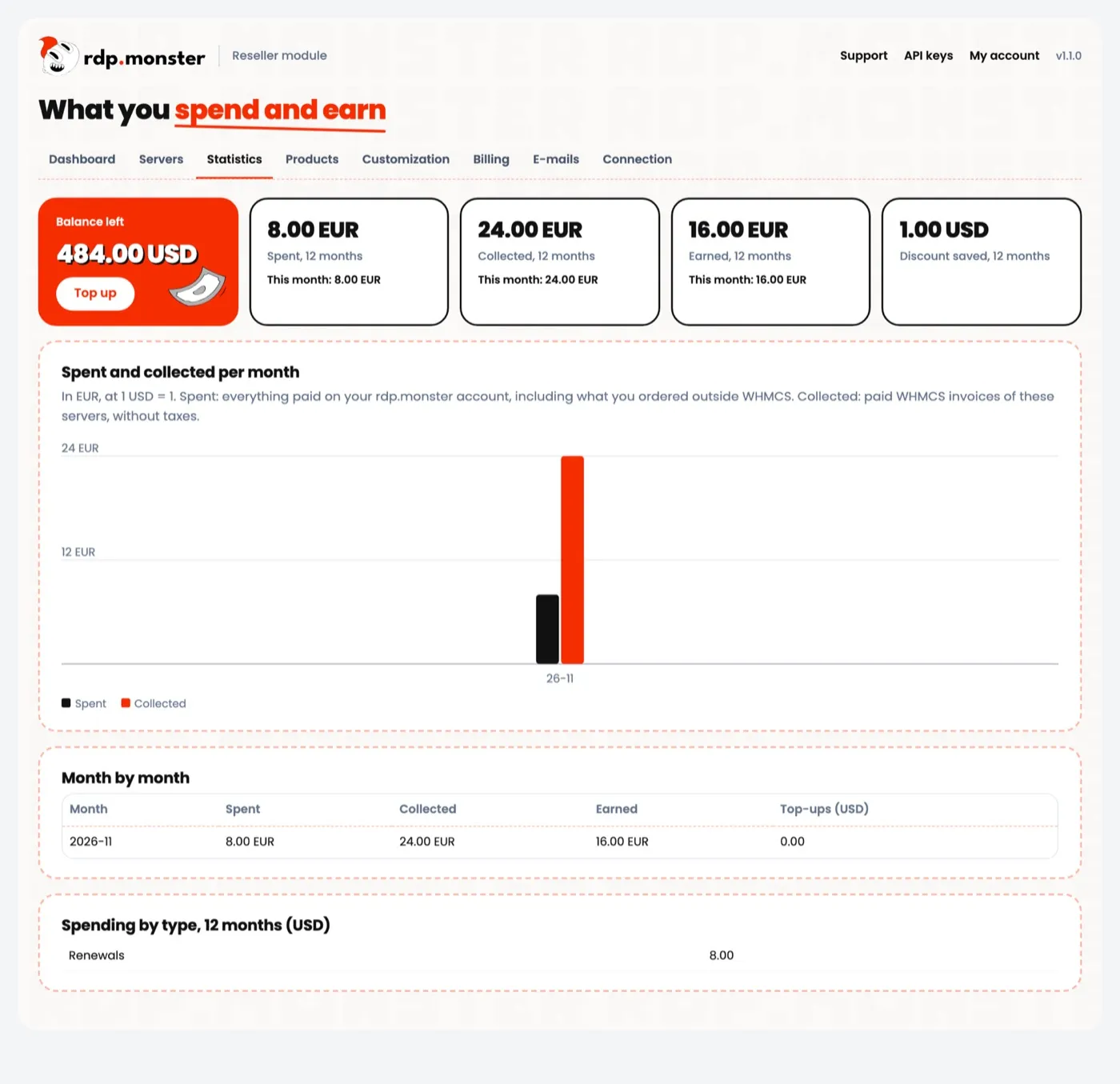
Know what you spend and what you earn
Every month, see what you spent, what you collected and what is left for you. The dashboard warns you before a problem reaches a customer.
- Statistics by month and by type
- Low balance and sold-at-a-loss alerts
- All servers in one page, with existing ones attachable
The daily work runs by itself
Delivery
Paid order, server created, IP and access written to WHMCS, e-mail sent, order accepted.
Renewals
A period is paid from your balance when your customer has paid theirs. A period is never paid twice.
Upgrades
Plan, RAM, vCPU and disk through the WHMCS upgrade page. Smaller plans apply at the next due date.
Suspensions
Unpaid servers stop. In case of abuse, the reason reaches you and your customer, who can buy a new IP when that solves it.
Catalog
New systems appear and retired ones disappear from your order form. Cost changes are flagged, and your prices stay yours.
Languages
English and French included for the client area, admin pages and e-mails. Add a language with one file.
Your margin grows with your volume
Your discount follows your balance top-ups over the last 30 days and applies to orders, renewals, upgrades and IPs.
Example: a server listed at $10 per month costs you $8.50 at the first tier and $5 at the last. You choose your selling price.
Works with your WHMCS
Built on the standard WHMCS module system, with no change to your core files or your theme.
| WHMCS | PHP | Status |
|---|---|---|
| 9.1 | 8.2 to 8.4 | Compatible |
| 9.0 | 8.2 to 8.3 | Compatible |
| 8.11 | 8.2 | Compatible, tested from order to termination |
| 8.0 to 8.13 | 7.2 to 8.3 | Expected to work |
Questions


How do I resell VPS with WHMCS?
Install the module, connect it with your API key and choose your offers in the wizard. WHMCS bills your customer, and the module creates the server from your prepaid balance once the order is paid.
Is the module free?
Yes. The module and the API are free. You pay for the servers you sell, at your reseller price. You need your own WHMCS licence and an approved reseller account.
Is it compatible with WHMCS 9?
Yes, with WHMCS 9.0 and 9.1, including the Nexus theme, and with WHMCS 8. It uses the standard module system and no custom Smarty tags.
Will my customers see rdp.monster?
No. Nothing in the client area or the e-mails mentions us. Our name only appears in your WHMCS admin area, in the pages of the module.
Can I create my own VPS plans and prices?
Yes. Define an offer in your account or a custom specification in WHMCS, then set a margin or a fixed price. Configurable options have their own prices too.
Can I resell Windows RDP?
Yes. You can sell Windows RDP and Linux VPS, and your customers can reinstall any system available for their server.
How fast is delivery?
Delivery starts as soon as the order is paid, and the access e-mail leaves once the server is ready. On an HTTPS WHMCS the module is told straight away; otherwise it checks at each cron run, at most every 5 minutes.
What happens if a customer does not pay?
By default, a server not renewed stops at its due date and your balance is not used before you are paid. You can choose to keep servers running from your balance instead.
What if my balance is too low?
You get a warning in your admin area and by e-mail below the threshold you set. A failed renewal alerts your administrators and is retried automatically.
Can I move my existing servers into WHMCS?
Yes. Create the service in WHMCS, then attach the server from the Servers page. There is no order, no charge and no e-mail to your customer.

Open your own hosting shop today
Download the module, ask for your reseller access, and place your first order with a test client.